 Khoi Pro
 Introduction: Why Project Structure Matters
Over the past decade, our team at CODE TOT has delivered more than 175 WordPress projects — from simple brochure sites for local Hanoi businesses to complex multilingual platforms for international clients. One lesson stands above all others: how you structure a project determines whether it ships on time, on budget, and with a happy client at the end.
In Vietnam’s fast-growing tech services market, agencies often jump straight into coding. The pressure to deliver quickly — combined with tight budgets — makes structured project management feel like a luxury. But in our experience, skipping structure is exactly what causes delays, cost overruns, and scope creep.
This article breaks down the project structure we’ve refined over hundreds of WordPress builds. Whether you’re running a WordPress agency in Southeast Asia or freelancing from a co-working space, these frameworks will help you deliver better results with less stress.
“A project without structure is not agile — it’s chaotic. The difference between a professional agency and a hobbyist is not talent; it’s process.”
— Mike Davey, Delicious Brains
Phase 1: Discovery & Requirements Gathering (Week 1)
Every project at CODE TOT starts with a structured discovery phase. We’ve learned the hard way that assumptions made in week one become expensive mistakes in week eight.
The Discovery Checklist
We use a standardized questionnaire that covers five key areas:
| Area | Key Questions | Deliverable |
|---|---|---|
| Business Goals | What does success look like? What KPIs matter? | Success metrics document |
| Target Audience | Who are the users? What devices do they use? | User persona profiles |
| Content Strategy | How much content exists? Who will create it? | Content inventory & gap analysis |
| Technical Requirements | What integrations are needed? Any legacy systems? | Technical specification brief |
| Design Preferences | Brand guidelines? Competitor references? | Mood board & style reference |
This phase typically takes 3–5 business days. We charge a fixed discovery fee (separate from the build) to ensure clients take it seriously. Clients who skip discovery end up with 40% more revision cycles — a pattern we’ve observed across dozens of projects.
Creating a Project Charter
After discovery, we produce a one-page project charter that both parties sign. It includes:
- Project scope (what’s in and explicitly what’s out)
- Budget and payment milestones
- Timeline with buffer built in (we add 20% to every estimate)
- Communication channels and response time SLAs
- Change request process
This charter becomes the single source of truth for the entire project. Every scope change request is evaluated against it.
“The most expensive line item in any web project is not development — it’s miscommunication. A project charter eliminates ambiguity before it costs you money.”
— How to Tame Scope Creep in WordPress Development, Delicious Brains
Phase 2: Technical Architecture & Stack Selection (Week 2)
With requirements locked, we design the technical architecture. For WordPress projects, this means making deliberate choices about hosting, theme framework, plugins, and build tooling.
Our Default Stack
| Component | Choice | Rationale |
|---|---|---|
| Hosting | RunCloud + DigitalOcean (or Cloudways for smaller sites) | Full server control, OpenLiteSpeed, affordable at Vietnamese price points |
| Theme Foundation | Custom block theme built on WordPress 6+ | No bloat, full control, FSE-ready |
| Page Building | ACF + Custom Gutenberg Blocks | Why we moved away from page builders |
| Performance | LiteSpeed Cache + WebP + CDN | 100/100 PageSpeed achievable consistently |
| Security | NinjaFirewall + Cloudflare WAF | Defense-in-depth for Vietnamese threat landscape |
| Backup | Daily automated + off-site | Non-negotiable for client peace of mind |
Local Development Environment
Every developer on our team uses the same local setup:
# Our standard WordPress local dev setup
# Uses Laravel Valet for macOS, Lando for Windows/Linux

# Clone the project
git clone [email protected]:codetot/PROJECT_NAME.git
cd PROJECT_NAME

# Install dependencies
composer install
npm install

# Set up environment
cp .env.example .env
# Edit .env with local database credentials

# Build assets
npm run build

# Sync production database (sanitized)
wp db pull
We maintain a private WordPress boilerplate on GitHub that includes our standard plugin suite, MU plugins, and base theme. Every new project starts from this boilerplate rather than from scratch — saving roughly 8–12 hours per project.
Phase 3: Design & Prototyping (Weeks 3–4)
Design happens in the browser, not in static mockups. We use a hybrid approach:
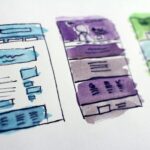
- Low-fidelity wireframes in Figma for layout approval (2–3 days)
- High-fidelity design for the 3 most important pages (home, about, contact) in Figma (3–5 days)
- In-browser prototyping for all remaining pages using ACF flexible content fields
This approach means clients see real WordPress content — not flat images — by the end of week four. It reduces the “it looked different in the mockup” syndrome dramatically.
Design System Components
We build a mini design system for every project:
// Example: ACF block registration for a "Team Members" block
add_action('acf/init', function() {
    acf_register_block_type([
        'name'            => 'team-members',
        'title'           => __('Team Members'),
        'description'     => __('A grid of team member cards'),
        'render_template' => 'blocks/team-members.php',
        'category'        => 'codetot-blocks',
        'icon'            => 'groups',
        'keywords'        => ['team', 'members', 'staff'],
        'supports'        => [
            'align' => ['wide', 'full'],
        ],
    ]);
});
Each block has a consistent structure: registration in PHP, template in a /blocks folder, styles in SCSS, and JavaScript if needed. This modular approach means we can reuse blocks across projects — our library now has 40+ custom blocks.
Phase 4: Development Sprints (Weeks 5–8)
We run two-week sprints with a clear definition of done:
- ✅ Code passes our internal linting standards (PHPCS with WordPress-Extended ruleset)
- ✅ Responsive on all breakpoints (mobile, tablet, desktop)
- ✅ Performance check: Lighthouse score > 90 on mobile
- ✅ Accessibility: keyboard navigation + basic screen reader test
- ✅ Client-reviewed on staging environment
Project Management Tools
We use a lightweight Kanban system on Notion (previously Trello) with these columns:
| Column | Purpose | WIP Limit |
|---|---|---|
| Backlog | All tasks from the project charter | Unlimited |
| This Sprint | Tasks committed for the current sprint | 10 |
| In Progress | Actively being worked on | 3 per developer |
| Review | Awaiting code review or client feedback | 5 |
| Done | Completed and approved | — |
We hold a 15-minute daily standup at 9:00 AM Hanoi time. Remote team members join via Google Meet. The standup covers: what I did yesterday, what I’ll do today, and any blockers.
Phase 5: Quality Assurance & Client Training (Week 9)
Before handoff, we run a structured QA process:
- Automated checks: Broken link checker, Lighthouse CI, PHPStan static analysis
- Manual QA: Full functional test against the requirements document
- Cross-browser testing: Chrome, Firefox, Safari, Edge — latest 2 versions
- Mobile testing: Real devices (iPhone, Android) not just emulators
- Load testing: Simple k6 script to verify the site handles expected traffic
Client Training Session
We schedule a 2-hour training session where we walk the client through:
- How to edit pages using the WordPress block editor
- How to use ACF flexible content fields
- How to add new team members, portfolio items, or blog posts
- How to request changes or report issues
We also provide a one-page cheat sheet (PDF) with screenshots and simple instructions. This single document has reduced support tickets by roughly 60%.
“The handoff is not the end of the project — it’s the beginning of the relationship. A well-trained client is a happy client, and a happy client becomes a recurring revenue stream.”
Phase 6: Post-Launch & Maintenance (Ongoing)
After launch, every project enters our maintenance program. We offer three tiers:
| Tier | Monthly Hours | Includes | Price (USD) |
|---|---|---|---|
| Basic | 2 | Security updates, monthly backup, uptime monitoring | $99 |
| Standard | 5 | Everything in Basic + content updates, performance monitoring | $249 |
| Premium | 10 | Everything in Standard + SEO monitoring, monthly report, priority support | $499 |
For a deeper look at how we price and structure these retainers, see our article on the economics of WordPress maintenance retainers.
What We’ve Learned: Key Takeaways
After 175+ projects structured this way, here are the most important lessons:
- Invest in discovery. Every dollar spent understanding the client’s business saves five dollars in rework.
- Standardize ruthlessly. A boilerplate, a design system, and a QA checklist eliminate decision fatigue and inconsistency.
- Document everything. From the project charter to the client cheat sheet — written agreements prevent misunderstandings.
- Build for the client’s team, not just the client. The person who approves the project is rarely the person who will update the website. Design for the content editor.
- Charge for value, not hours. Our structured process lets us deliver faster and better — we price accordingly, and clients happily pay for predictability.
This structure didn’t emerge overnight. It evolved through dozens of painful lessons — missed deadlines, angry clients, unpaid overtime. But today, it’s the backbone of everything we build at CODE TOT. If you’re running a WordPress agency or planning to start one, I hope these frameworks save you some of those painful lessons.
External References
- How to Tame Scope Creep in WordPress Development — Delicious Brains (Mike Davey)
- How to Scale a WooCommerce Store (15 Pro Tips) — WPBeginner
- WordPress Block Editor Handbook — WordPress Developer Resources